
2026 research-based shortlist
Personal CRM Apps in 2026: A Source-Checked Shortlist
A source-linked shortlist of Mogul, Dex, Mesh, Monica, Covve, and folk, with current pricing, documented features, trade-offs, and a fair trial checklist.
 Chris Raroque
In this guide
The short answer: Choose the personal CRM that removes the kind of work you avoid. Based on current vendor documentation, consider Dex or Mesh (formerly Clay) for automatic capture, Monica for open-source self-hosting, Covve for mobile and event capture, folk for a shared team workflow, or Mogul for a simpler, deliberate system.
“Best” only means best for a particular job. A founder with 6,000 LinkedIn connections has a different problem from someone who wants to call old friends more often, and a privacy-minded self-hoster has a different standard from a partnership team that needs a shared pipeline.
If you are still defining the category, start with our plain-English guide to personal CRM.
How we researched this shortlist
For this August 20, 2026 draft, we reviewed each vendor’s current public product, pricing, help, and security pages. We included products that are currently available, appear in personal-CRM research or search results, and represent a distinct decision such as automatic capture, self-hosting, mobile entry, deliberate notes, or team collaboration. We cross-checked renamed products and excluded tools whose current positioning no longer fits a short general-purpose list.
We did not create competitor accounts, connect inboxes, install apps, or independently benchmark these products. Capabilities below are vendor-documented. Pricing can change; follow the cited links before purchasing.
That limitation matters. Too many “best apps” articles quietly convert a feature page into personal experience. We would rather tell you what we know.
Our personal CRM alternatives hub explains the evidence standard we will use for deeper head-to-head comparisons.
Spot an out-of-date price, feature, or product name? Send it through our contact page. We will recheck the primary source and note material corrections.
A personal CRM shortlist by use case
| Tool | Consider if | Documented emphasis | Current price snapshot* | Free access shown publicly* |
|---|---|---|---|---|
| Mogul | You prefer deliberate relationship tracking | Basic: people and interactions; Pro: reminders, groups, custom fields, and optional E2EE | Basic free; Pro $9.99/month or $99.99/year | Basic plan |
| Dex | LinkedIn-heavy professionals who want automatic capture | Broad personal integrations and a strong browser workflow | From $12/month on the annual plan | 7-day trial; no card stated |
| Mesh | A self-updating network with life and career signals | Automatic organization, enrichment, and relationship updates | Personal free up to 1,000 contacts; Pro $20/month or $120/year ($10/month billed annually) | Personal plan; card noted for initial Pro trial |
| Monica | Open-source and self-hosted relationship memory | Inspectable code, self-hosting, and personal-life fields | Self-host free; hosted $9/month or $90/year | Self-hosted software; 30-day hosted trial stated |
| Covve | Mobile-first networking and event follow-up | Business-card capture plus reminders, notes, news, and analytics | Essential from USD $12/seat/month or $119/seat/year on the current web page | Verify the current app/store offer |
| folk | Teams managing relationships, outreach, and pipelines together | Shared CRM, multi-channel sync, campaigns, and AI assistants | From $24/member/month billed annually | 14-day trial stated |
*Prices shown on vendor pages accessed August 20, 2026. Taxes, regions, app-store pricing, billing periods, trials, and plan limits may differ.
Jump to what the documented features suggest, or use the seven-task test to evaluate any candidate yourself.
How to choose before you compare features
Personal CRMs split along four real decisions.
1. Automatic capture or deliberate notes?
Dex and Mesh emphasize pulling context from places such as email, calendar, contacts, and social networks. That can rescue a large network from manual entry.
Mogul and Monica make more sense when you want to decide what belongs in the record. The work is more deliberate. The data access can be narrower.
Ask which failure bothers you more: missing context or granting broad access. Integrations can also change when LinkedIn, email, calendar, or messaging platforms change their rules, so check each vendor’s current integration notes.
2. Professional network or whole life?
Dex and Mesh speak the language of founders, investors, operators, and other active networkers. Monica is unusually comfortable with friends, relatives, pets, gifts, activities, and the ordinary texture of life.
Mogul sits between those worlds. Its structure is neutral enough for classmates, investors, friends, clients, or mentors without turning them into deal stages.
3. Personal tool or shared system?
folk’s current site is the most explicitly team-CRM-oriented option in this group. Mesh also offers Team and Enterprise plans.
If several people need shared relationship context, roles, pipelines, campaigns, or handoffs, an individual personal CRM can become the wrong architecture no matter how pleasant it is.
4. Convenience or infrastructure control?
Monica is the open-source, self-hostable option in this shortlist. That freedom comes with maintenance, backups, upgrades, and security work.
Hosted products remove that operational burden. You are then choosing a vendor’s security practices, data access, and export path rather than operating the stack yourself.
Across all four decisions, do not buy the most impressive database. Buy the shortest path from “we should keep in touch” to an actual follow-up.
Mogul
Consider if: You want a simple relationship memory system and prefer deliberate entry to broad automatic capture.
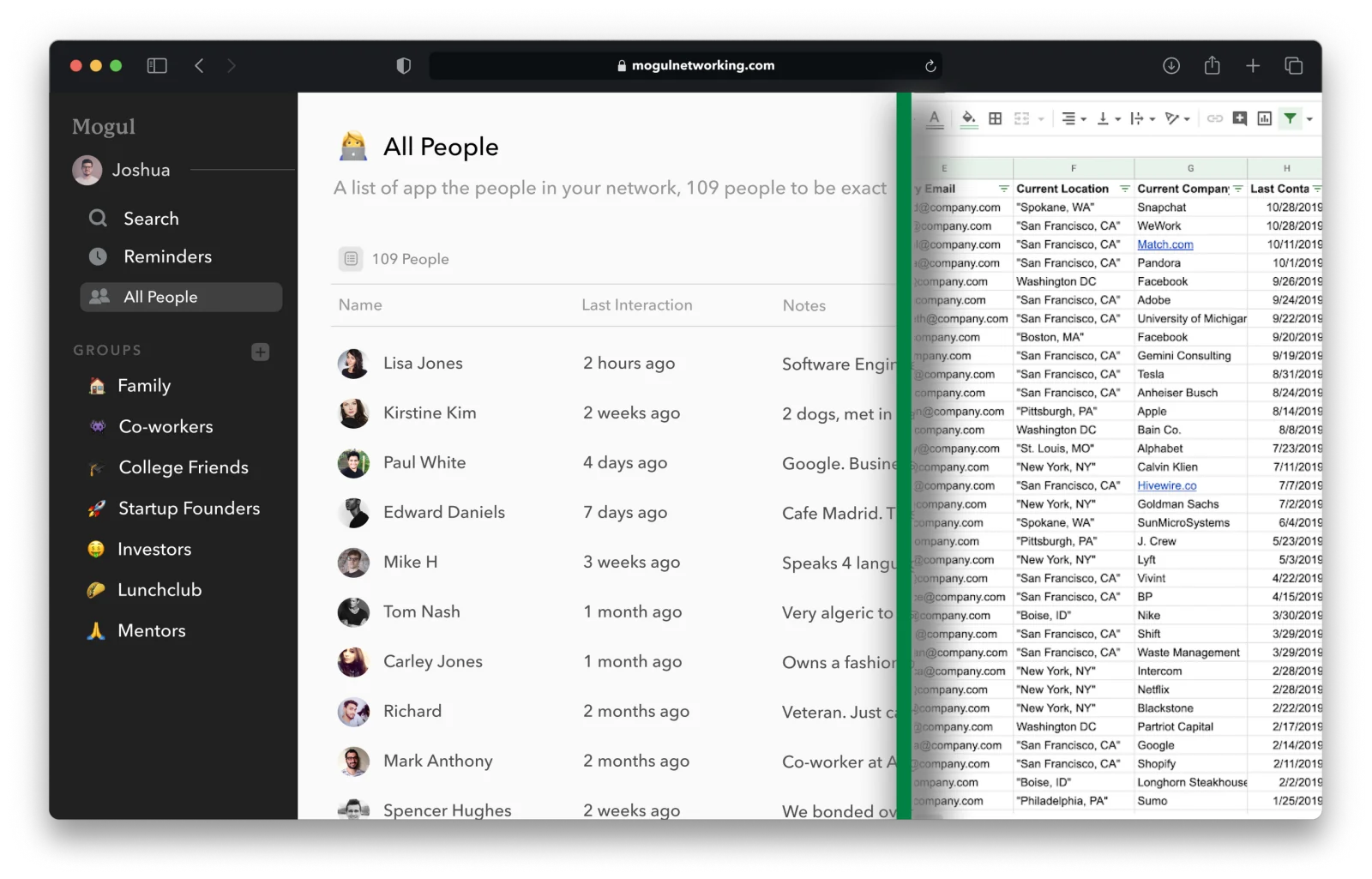
Mogul organizes people, custom details, and interactions in searchable profiles. Basic is free and centers on people, interactions, and access across supported devices. Pro adds custom groups and fields, one-time and recurring email or iOS reminders, and optional end-to-end encryption. Export and deletion controls are also documented.
The product emphasizes details you deliberately save rather than automatic sync and enrichment across connected accounts. That can fit a small, intentional network. It can be a weakness if your ideal personal CRM populates and enriches itself with minimal input.
Why choose it
- You want people and interaction history without a sales pipeline.
- Mogul Pro’s optional end-to-end encryption fits your requirements after you review its documented exclusions.
- You prefer deliberate notes and search; Pro adds groups, custom fields, and reminders.
- You want a free starting plan and published individual pricing.
Think twice if
- automatic LinkedIn, email, and calendar capture is your deciding feature;
- you need a shared team pipeline, sequences, or sales reporting;
- you will not consistently record the small amount of context that matters.
Price: Mogul currently lists a free Basic plan, $9.99 monthly Pro, and $99.99 annual Pro.
Dex
Consider if: Your relationships already live across LinkedIn, Gmail or Outlook, calendars, messaging, and browser tabs.
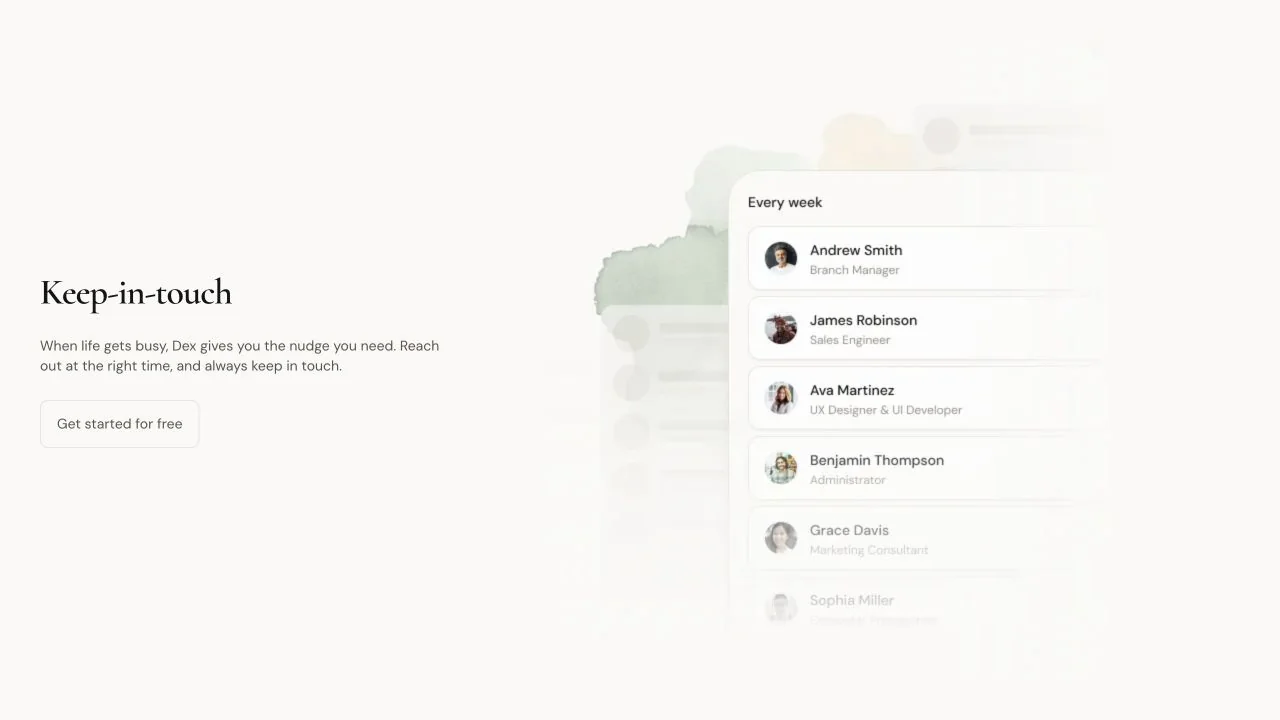
Dex documents one of the broadest automatic-capture systems in this shortlist. Its current product and integration pages describe LinkedIn sync, email and calendar integrations, two-way contact sync, messaging integrations, a browser extension, mobile apps, notes, timelines, reminders, birthdays, and map views.
Instead of rebuilding your network one person at a time, Dex connects the systems where interactions already happen.
Why choose it
- LinkedIn is central to how you build and maintain relationships.
- You want email and calendar context attached automatically.
- A browser extension would make notes and reminders easier to capture.
- You want an individual-first browser and mobile workflow rather than a shared sales CRM.
Think twice if
- you want to minimize the number of connected accounts;
- you need self-hosting or end-to-end encryption of the whole database;
- your network is mostly offline and you will still need manual capture.
Price: Dex’s current pricing page shows Premium at $12/month, Professional at $20/month, and Enterprise at $40/month on its annual-price view. LinkedIn limits and integrations vary by plan.
Read the deeper Mogul vs. Dex comparison for capture, privacy, export, and platform trade-offs.
Mesh (formerly Clay)
Consider if: You want a network that stays organized and surfaces reasons to reconnect with less manual maintenance.
Clay’s personal CRM is now Mesh at me.sh. This naming change matters because searches for “Clay alternatives” are now dominated by an unrelated sales-data company. If you are looking for the relationship app formerly at clay.earth, Mesh is the current product.
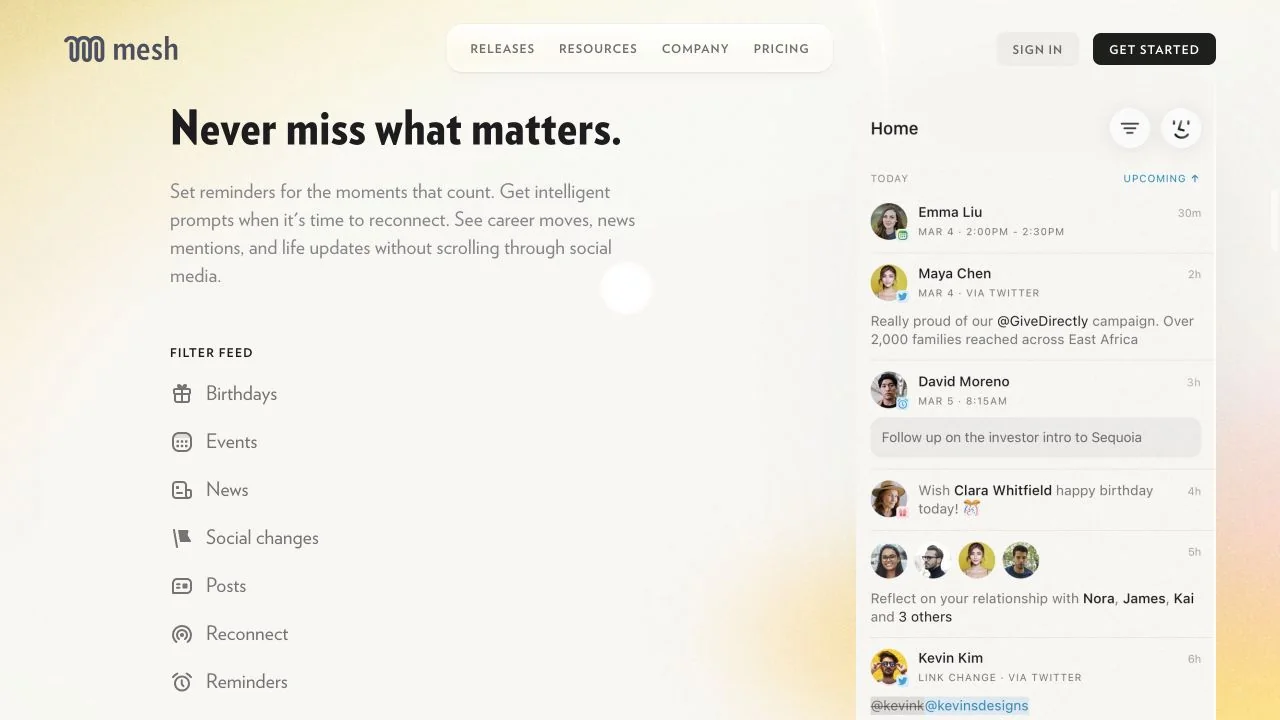
Mesh emphasizes automatic organization and updates. Its public pages describe importing from email, calendars, social networks, contacts, and messaging sources; reminders and reconnect prompts; job changes, location changes, news mentions, and other signals; and individual plus team plans.
Its security documentation says data is encrypted in transit and at rest, describes access requested for each integration, and says some social-connection information is encrypted end to end. Read that documentation carefully rather than assuming every imported field has the same encryption model.
Why choose it
- You want a broad, automatically assembled view of your network.
- Career moves and other life updates are useful prompts to reconnect.
- You want individual software that can grow into a team network.
- A free plan for up to 1,000 contacts covers your starting point.
Think twice if
- you prefer to enter only a small, intentionally selected circle;
- connecting several outside accounts feels like too much access;
- you want a product whose main workflow is manual notes and explicit reminders.
Price: Mesh’s pricing page listed Personal as free for up to 1,000 contacts, Pro at $20/month or $120/year ($10/month billed annually), Team at $40/seat/month, and custom Enterprise pricing when checked. Its subscription guide listed Team at $49/seat/month. Recheck both before purchasing.
Read the deeper Mogul vs. Mesh comparison for automatic capture, privacy, migration, and platform trade-offs.
Monica
Consider if: You want an open-source, self-hostable personal CRM for friends, family, and the rest of life—not just professional networking.
Monica is the only open-source, self-hostable product among these six. It can run on your own server and is built around remembering people rather than enriching prospects.
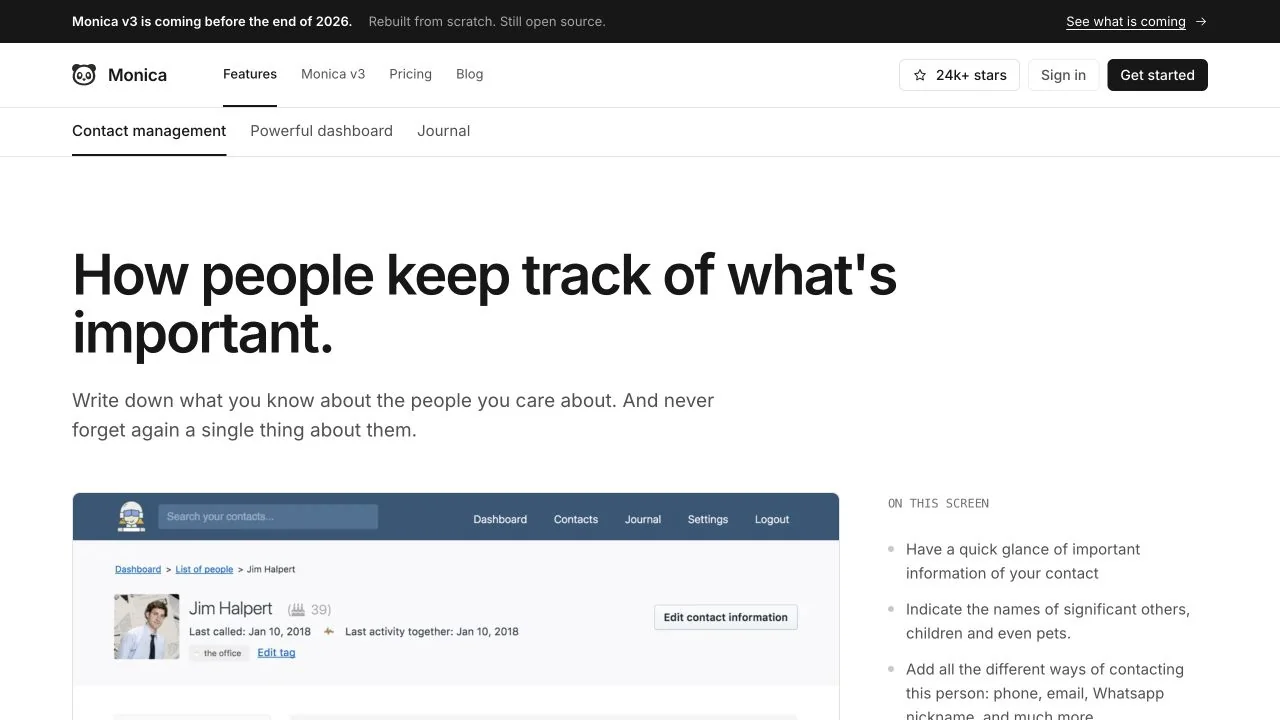
Its current pages describe reminders, activity history, custom information, contacts and relationships, import and full export, and a hosted version for people who do not want to operate infrastructure. Monica’s project blog says v3 is being rebuilt and expected before the end of 2026; read the migration and roadmap notes before committing to a long-term setup.
Why choose it
- You want inspectable open-source software.
- Self-hosting and infrastructure control are important.
- Your use case includes family and friends, not only a professional network.
- You care about exportability and dislike behavioral feeds or advertising models.
Think twice if
- you expect automatic LinkedIn, inbox, and calendar enrichment;
- you require current native mobile apps; Monica says those are planned after v3;
- you do not want either a hosted subscription or the responsibility of running a server.
Price: Monica lists hosted service at $9/month or $90/year. The software is free to self-host; your server and maintenance are not.
Read the deeper Mogul vs. Monica comparison for hosted, self-hosted, privacy, and maintenance trade-offs.
Covve
Consider if: You meet people in person and care about fast mobile capture, follow-up prompts, and network health.
Covve’s personal CRM page focuses on smart reminders, notes and interactions, contact-relevant news, and relationship analytics. Covve also has a substantial business-card scanning and event-lead product, which makes it especially worth considering when relationships begin with a physical card or conference conversation.
Covve’s help center says end-to-end encryption covers notes, interactions, reminders, family information, and general notes. That is a vendor-documented scope, not an independent security assessment.
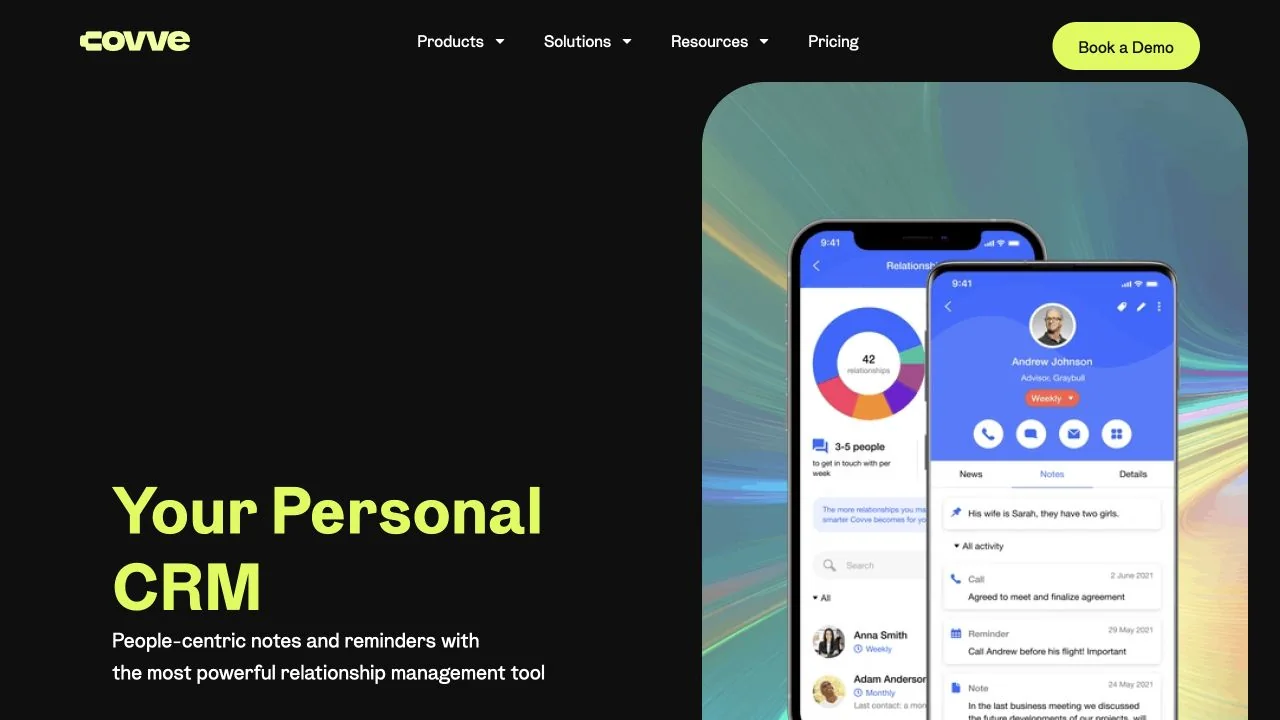
That breadth also creates a buying caveat: Covve’s current pricing page is organized around scanner, lead-capture, and team products. Confirm that the plan and app-store purchase you are evaluating includes the personal-CRM workflow you want.
Why choose it
- in-person events and business cards are a major source of contacts;
- you want a mobile-first experience;
- reminders, notes, news prompts, and relationship analytics fit your routine;
- contact cleanup and capture matter more than LinkedIn-centric enrichment.
Think twice if
- you want a simple price comparison without product or regional variation;
- you need open-source self-hosting;
- you are buying only for quiet personal-life relationship memory.
Price: Covve’s current web pricing page lists Essential from USD $12/seat/month or $119/seat/year, Pro at $20/seat/month or $199/seat/year, and Business at $31/seat/month or $299/seat/year.
folk
Consider if: A small team needs shared relationship context plus pipelines, outreach, and automation.
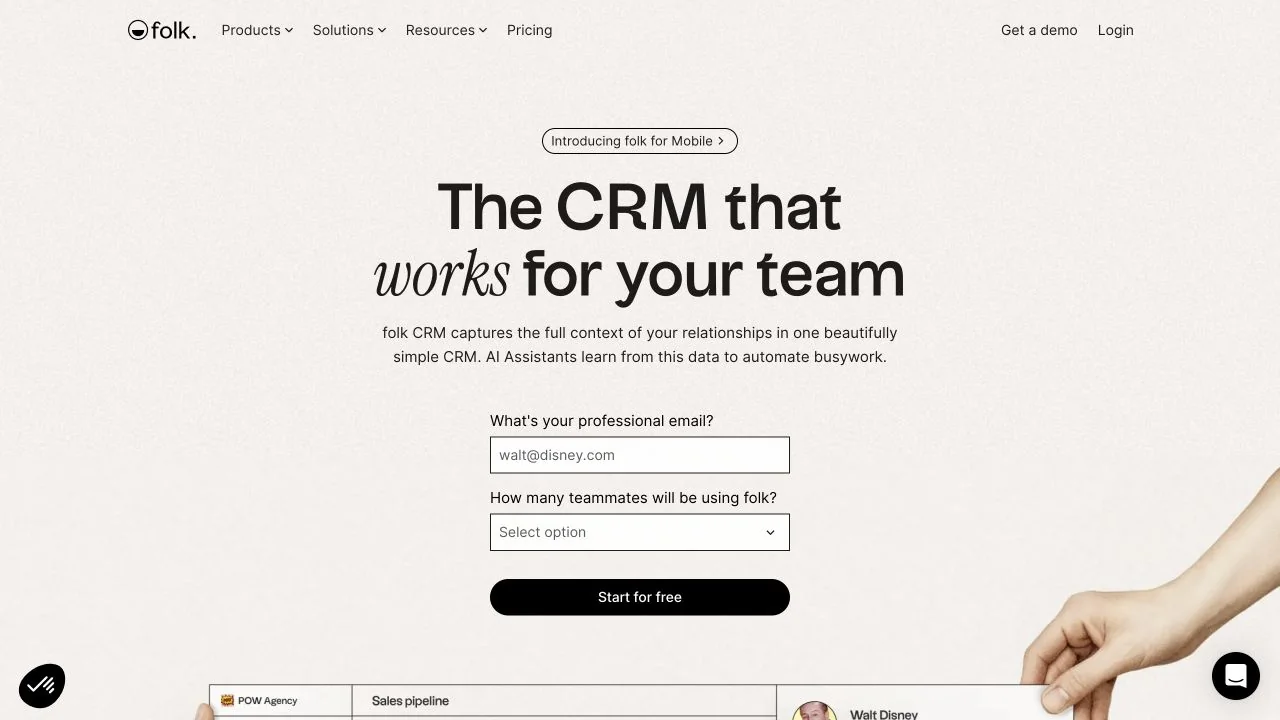
folk now positions itself as a team CRM, not merely a personal rolodex. Its public pages emphasize email, calendar, and WhatsApp sync; a LinkedIn extension; pipelines; campaigns and sequences; relationship context; enrichment; and AI assistants for follow-up, recaps, research, and workflows.
That makes folk powerful when relationships lead to coordinated work. It also makes it more product—and more price—than many individuals need to remember friends, mentors, or occasional professional contacts.
Why choose it
- several teammates need the same relationship context;
- you need pipelines or outreach in addition to notes and reminders;
- email, calendar, WhatsApp, and LinkedIn capture belong in one workspace;
- AI summaries and workflow automation have clear business value.
Think twice if
- you are one person maintaining a small personal circle;
- you do not need campaigns, pipeline management, enrichment, or team permissions;
- per-member pricing is difficult to justify for a personal habit.
Price: folk currently lists Standard at $24/member/month billed yearly ($30 monthly) and Premium at $48/member/month billed yearly ($60 monthly), with Enterprise above that.
Feature and philosophy comparison
This matrix reflects what each vendor currently documents publicly. A dash means “not central or not verified in the sources we reviewed,” not necessarily “impossible.”
| Tool | Built-in reminders | Automatic email/calendar context | LinkedIn-oriented capture | Self-host option | Vendor-documented privacy/storage note | Team workflow |
|---|---|---|---|---|---|---|
| Mogul | Pro | — | — | No | Vendor documents optional E2EE with exclusions plus export/deletion controls | No shared CRM positioning |
| Dex | Yes | Yes | Yes | No | Vendor documents export and deletion controls | Individual-first; Enterprise is a higher individual tier |
| Mesh | Yes | Yes | Yes | No | Vendor documents encryption in transit/at rest and integration-specific protections | Team and Enterprise plans |
| Monica | Yes | Primarily manual | No | Yes | Vendor documents open source, self-hosting, and full export | Individual/household orientation |
| Covve | Yes | Limited in the personal-CRM positioning | No | No | Vendor documents E2EE for notes, interactions, reminders, family information, and general notes; not independently tested | Team lead-capture products available |
| folk | Yes | Yes | Extension-based capture | No | Vendor documents enterprise security controls on higher plans | Yes—core positioning |
What about Clay, Cloze, Notion, and spreadsheets?
Clay personal CRM
Clay’s relationship product became Mesh. Search using Mesh personal CRM or Clay.earth so you do not land in comparisons for the unrelated Clay.com sales-data platform.
Cloze
Cloze was historically included in broad personal-CRM lists. Its current homepage leads with AI-powered real-estate solutions for brokerages. We excluded it from this general-purpose shortlist because that current positioning needs a real-estate caveat; it may still fit particular relationship workflows.
Notion, Airtable, and spreadsheets
These remain excellent choices for people who want a transparent, custom system and do not mind maintaining it. A spreadsheet is not a failed personal CRM; it is a build-your-own one.
Choose one when you value flexibility more than purpose-built capture and reminders. Move to dedicated software when the workarounds become the work.
Google or Apple Contacts
If all you need is identity and contact information, stop here. The tool already on your phone may be the best one. Add a personal CRM only when relationship context and follow-up are repeatedly slipping through the cracks.
What the documented features suggest
- Consider Dex if LinkedIn plus email/calendar automation is the center of your professional workflow.
- Consider Mesh if you want a broad, self-updating relationship graph and timely life or career signals.
- Consider Monica if open source, self-hosting, and personal-life context are non-negotiable.
- Consider Covve if you meet people in the physical world and mobile capture is the moment that matters.
- Consider folk if the word “we” appears throughout your requirements.
- Consider Mogul if you want a quieter system: Basic for people and interactions, or Pro for reminders, groups, custom fields, and optional end-to-end encryption subject to its documented exclusions.
Then test your choice with 25 people for two weeks.
Do not import your whole life yet. Notice whether you record context, act on reminders, and feel better prepared. If not, change the workflow before you blame yourself.
The seven-task test
During a free plan or trial, perform the same seven tasks in every candidate:
- Add one person manually.
- Import five contacts from the source you actually use.
- Record a two-sentence interaction note.
- Set one exact reminder and one recurring check-in.
- Find a person using something other than their name.
- Export your data and inspect the result.
- Find the account-deletion and connected-account controls.
The right tool should make those seven tasks routine.
Frequently asked questions
What is the best free personal CRM?
Mesh currently lists a free Personal plan for up to 1,000 contacts; its pricing page notes that a card is required for the initial Pro trial. Mogul has a free Basic plan. Monica is free to self-host, although hosting and maintenance have real costs. Free-plan limits change, so verify them before importing.
Which personal CRM is best for LinkedIn?
Dex and Mesh most clearly emphasize automatic LinkedIn-oriented capture and updates in their current public materials. folk provides a LinkedIn extension inside a broader team CRM. Connection limits and exact sync behavior vary by plan.
Which personal CRM is most private?
“Private” can mean different things. Monica offers inspectable open-source code and self-hosting. Covve and Mogul both publish end-to-end-encryption claims with product-specific scopes; neither claim is an independent security assessment. Mesh publishes detailed integration-specific security disclosures. Decide whether your priority is infrastructure control, encryption design, minimal connected-account access, or all three.
Which personal CRM is best for friends and family?
Monica is explicitly designed around the people in your life and supports self-hosting. Mogul can also be used without sales stages. Whichever tool you choose, avoid turning friendship into a scorecard; save only the context that helps you care and follow through.
Is a personal CRM worth paying for?
It is worth paying for when it reliably saves maintenance time or prevents meaningful follow-ups from disappearing. It is not worth paying for merely because you enjoy configuring databases. A two-week, 25-person trial can reveal the difference.
Should I use a personal CRM or a sales CRM?
Use a personal CRM when the relationship itself is the object. Use a sales CRM when several people need to move customers through a repeatable commercial process, with stages, ownership, forecasting, reporting, or campaigns.
The test for every app here is simple: less time maintaining the system, more moments in which another person feels remembered.