
Personal CRM 101
What Is a Personal CRM? A Memory You Can Search
A plain-English guide to personal CRM: what it does, how it differs from contacts and sales CRM, and how to build a relationship system you will actually use.
 Chris Raroque
In this guide
The short answer: A personal CRM is a system for remembering the people who matter to you—who they are, how you met, what you discussed last, and when you want to reconnect. A contacts app centers on contact information; a personal CRM centers on relationship context.
Your contacts app knows Maya’s phone number. Your inbox knows what she emailed. Your calendar knows when you met. The useful context is often scattered across all three. Five minutes before you talk to her again, one question still matters: what should I remember?
A personal CRM exists to answer it.
What is a personal CRM?
A personal CRM—sometimes called a personal relationship manager—is contact management organized around relationships instead of sales. It keeps the details a next conversation needs, in one searchable place: identity, history, promises, timing.
The name borrows from business software. CRM stands for customer relationship management: Salesforce defines it as one place for a company to manage interactions with customers and prospects, and HubSpot organizes contacts, companies, and interaction history around the same idea.
A personal CRM borrows the useful part—the memory. Most are individual-first and usually leave out deals, forecasts, and team pipelines. The “R” is the part that matters.
It is less a database of people than a memory you can search.
How is a personal CRM different from a contacts app?
A contacts app is organized around coordinates—phone number, email, mailing address—while a personal CRM is organized around relationship context, interaction history, and follow-up reminders. Many contacts apps can hold a note; few are built to resurface it at the right moment.
The difference sounds small until the moment before a meeting.
“Maya’s email address is in my contacts” is contact information. “Maya is moving to Chicago, she is deep in urban mobility work, and I promised to introduce her to Priya” is relationship context. Only the second changes the next conversation.
How is a personal CRM different from a sales CRM?
A sales CRM helps a business manage customers, deals, and a shared pipeline. A personal CRM helps one person remember relationships, commitments, and intended follow-ups. Both may store profiles, interaction history, and tasks; the difference is the job the system is built to do.
If you need forecasting, campaigns, shared account ownership, or team reporting, choose a sales CRM. If the problem is remembering where a relationship left off, a personal system is usually the better fit.
How does a personal CRM work?
In this guide, we judge any relationship system by four practical jobs: capture, context, cadence, and retrieval. That framework is ours—a working checklist, not an industry taxonomy—and it applies to an app, a spreadsheet, a Notion database, or a notebook.
1. Capture
Can you add a person or a note fast enough that you actually will? A perfect schema is useless if a two-sentence note feels like expense reporting. The useful action has to stay small: add the person, write what mattered, set the next step.
2. Context
Can you see the relationship’s story in one place? The goal is continuity, not surveillance. Before a call, you should be able to recover the last conversation and the few details that let you pick it up naturally.
3. Cadence
Can the system hold a follow-up reminder for you? Some follow-ups belong on a date: “Ask how the interview went on Friday.” Others are a rhythm: “Check in with close mentors every quarter.” A good system supports both without turning friendship into a quota.
4. Retrieval
Can you find the right person when you need them? Sometimes you remember a name. Sometimes you remember only “the climate investor I met in Austin.” Search, groups, and custom fields turn a pile of contacts into a usable network.
What should you track in a personal CRM?
Track less than you think. For most people, a useful record needs five things:
- Identity: name and one reliable way to reach them.
- Context: how you met and why the relationship matters.
- Last interaction: one or two sentences on where you left off.
- Next step: a promise, or a date to reconnect.
- A few durable details: interests, important people in their life, milestones they volunteered.
You are not reconstructing a biography. You are keeping enough context to be considerate.
What does a good record look like?
A good record is short. Here is a fictional Maya, filled in:
| Field | Example |
|---|---|
| How we met | Climate founders dinner in Austin |
| Last interaction | Talked about her move to Chicago and her latest urban mobility project |
| Next step | Introduce Maya to Priya before Friday |
| Durable details | Interested in urban mobility; training for an October marathon |
| Follow-up | Ask how the introduction and the move went in three weeks |
That is enough to make the next conversation continuous without pretending to know everything about her.

Is it creepy to keep notes on people?
Keeping notes on people is not creepy when intent and restraint hold: remembering a promise or a milestone is considerate; collecting sensitive information for leverage is not.
A simple test: would I be comfortable explaining to this person why I saved this detail?
“You mentioned your marathon, and I wanted to remember to ask how it went” passes. “I collected sensitive facts so I could influence you later” does not.
Store the minimum—a fuller database is not a more thoughtful one. Treat notes about other people as their information too: skip secrets and sensitive data you do not need, choose a product whose privacy model you understand, and follow your employer’s policies and applicable privacy law. This is a practical caution, not legal advice.
Personal CRM vs. spreadsheet vs. Notion vs. contacts app
Use the simplest system that solves the actual problem. Products vary, but the trade-offs usually look like this:
| System | Best when | Strength | Friction to expect |
|---|---|---|---|
| Phone or Google Contacts | You mainly need contact details | Already present and easy to use | Relationship history and follow-up workflow are often limited |
| Spreadsheet | You want a free, transparent list you control | Flexible, portable, familiar | Notes and reminders usually become manual maintenance |
| Notion or Airtable | You enjoy designing your own workflow | Highly customizable views and fields | Easy to overbuild; reminders and interaction capture may need workarounds |
| Traditional sales CRM | You manage customers, deals, or a team pipeline | Automation, reporting, shared processes | Often too heavy and transactional for personal relationships |
| Dedicated personal CRM | Remembering and following up is the job itself | Typically purpose-built profiles, notes, search, and reminders | One more app; privacy and import models vary by product |
If your important relationships fit comfortably in memory and a calendar, a dedicated tool may be unnecessary. If your network spans several chapters of life and useful details keep disappearing, dedicated software starts to earn its place.
Who needs a personal CRM?
In this guide, relationship load means the amount of meaningful context your unaided memory can no longer carry reliably. A personal CRM starts to help when relationship load outgrows your head and calendar—especially when the relationships do not live inside one company system.
That describes:
- founders keeping up with investors, advisors, customers, and other founders;
- job seekers managing introductions and follow-ups;
- investors remembering conversations across a wide network;
- students building relationships with professors, recruiters, and alumni;
- consultants and freelancers whose next project often begins with an old conversation;
- community builders who make frequent introductions.
When to skip it
Skip a personal CRM if a simpler habit already works:
- your contact and calendar habits are enough;
- you dislike recording notes and do not want automation either;
- your important circle is small and stable;
- you actually need sales forecasting, campaigns, or a shared pipeline—that is a team CRM’s job;
- the idea makes relationships feel measured rather than supported.
If a tool makes you feel behind on your own friendships, drop the tool.
How do you set up a personal CRM?
Start with a 15-minute exercise: one purpose, five people, a little context, a review rhythm. Do not start with a bulk import of 4,000 contacts—that creates a cleanup project, not a relationship practice.
Minutes 1–3: choose one purpose
Write a single sentence: I want this system to help me ________. Keep up with former colleagues. Follow through on introductions. Prepare for investor meetings. Remember details about close friends.
Minutes 4–7: add five people
Choose the five relationships that matter most to that purpose right now. Not the most impressive people—the important ones.
Minutes 8–12: record only useful context
For each person, note how you know them, the last useful detail you remember, and one possible next step. Leave blanks blank.
Minutes 13–15: set a review rhythm
Pick one recurring moment—Friday afternoon, Monday morning—and spend fifteen minutes each week reviewing follow-ups.
When the timer runs out, you will have five records with real context and one recurring review on your calendar—enough to learn whether the practice earns its keep.
The system that works is the one you return to; the app just makes returning easier. If you lapse for six weeks, skip the guilt backlog: pick five people, skim their last notes, and resume from today.

How do you choose a personal CRM?
Ignore the longest feature list. Answer these seven questions first, then compare candidates with our source-checked shortlist and run its seven-task trial test on your finalists:
- Where do my relationships already live? Email, calendar, LinkedIn, phone contacts, events, a spreadsheet?
- How much automation do I want? A one-time import copies existing contacts once; persistent sync with email, calendar, or LinkedIn cuts ongoing entry work but means continuing access to those accounts. Know which trade you are making.
- What do I want to remember? Professional interaction history, personal details, introductions, birthdays—or all of it?
- How should reminders feel? Exact tasks, recurring check-ins, intelligent suggestions, or none?
- What is my privacy threshold? Read the vendor’s current privacy and security documentation. Look for export and deletion controls, not reassuring adjectives.
- Will I use it on the devices that matter? Check current platform support before committing.
- Can I leave? A clear export path is a product feature.
If you cannot answer these yet, run a spreadsheet for two weeks. A short trial can reveal which features actually matter.
Where Mogul fits
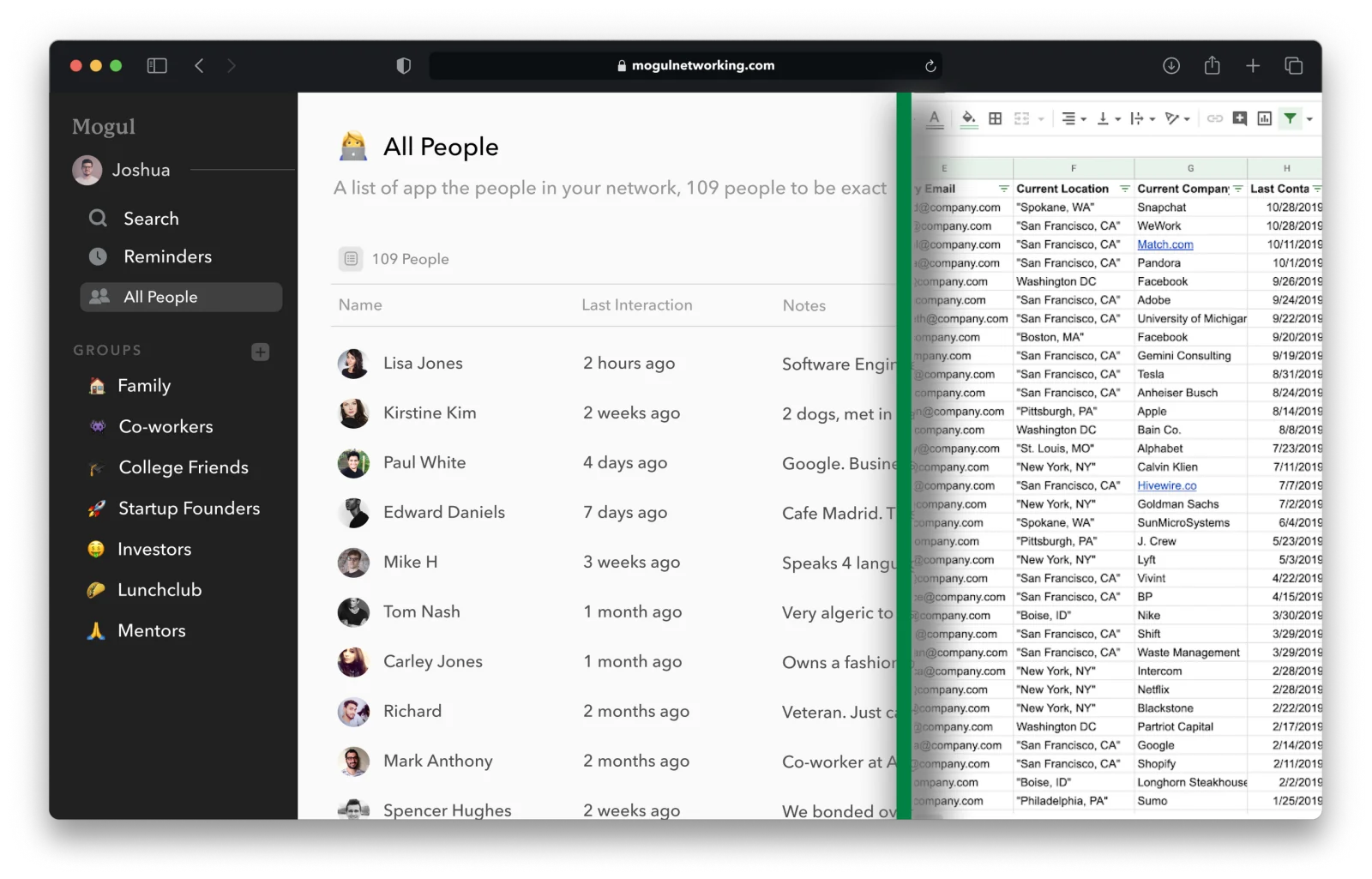
Mogul’s public pages emphasize deliberate notes, interactions, search, imports, and reminders—an emphasis suited to people who want a system they maintain on purpose.
Public pricing lists Mogul Basic as free, covering people and interactions across supported devices. Mogul Pro adds custom groups and fields, one-time and recurring reminders, and optional end-to-end encryption. Mogul’s documentation also describes export and deletion controls. You can compare Mogul Basic and Pro pricing.
On the encryption: the technical explainer documents the optional model and its exclusions, and currently displays a four-year-old update marker. That is vendor documentation, not an independent audit—check Mogul’s current security pages for anything newer before relying on the details.
Mogul is one option, not the answer for every workflow. If automatic enrichment from LinkedIn or email is your top requirement, compare tools that make it their focus. If you want self-hosted open-source software, look at Monica. If you need a shared sales pipeline, choose a team CRM.
Pick whichever tool means you start the next conversation already knowing where you left off.
Frequently asked questions
Is a personal CRM only for professional networking?
No. Some products lean professional; others are designed around friends and family. The job is the same either way—preserve useful relationship context and help you act on it—so choose fields and reminders that fit the relationships you are supporting.
Can a spreadsheet work as a personal CRM?
Yes—it is a reasonable start. Spreadsheets handle identity, context, and notes well; the friction usually appears in reminders and interaction history, which become manual upkeep. If the habit sticks and the upkeep starts to grate, that is the signal to consider dedicated software.
Is keeping notes about people manipulative?
Not if intent and restraint hold. Remembering a promise or a milestone is caring; collecting unnecessary sensitive information for leverage is not. Save only what helps you follow through, and apply the “would I say this out loud?” test.
What is the best personal CRM?
No single tool is best for everyone. The answer depends on whether you value automatic capture, manual thoughtfulness, privacy, self-hosting, mobile-first use, or team collaboration. Our source-checked shortlist of the best personal CRM apps, based on current public vendor documentation, compares those trade-offs by use case.
A useful system ends in a human action
The point of a personal CRM is not a clean database. It is the note you send, the introduction you make, the “how did the interview go?” you remember to ask.
Open whatever you already have—an app, a spreadsheet, a notebook page—and add five people today. When you want the next practical step, browse the rest of our personal CRM resources.