
Personal CRM comparison
Mogul vs. Dex: Which Personal CRM Fits How You Remember?
A source-checked Mogul vs. Dex comparison covering automation, reminders, importing, export, privacy, platforms, and current pricing.
 Chris Raroque
In this guide
The short answer: Choose Dex if your main problem is collecting relationship context from LinkedIn, email, calendars, messaging, and contacts. Choose Mogul if your main problem is remembering a smaller set of people thoughtfully, and you prefer deliberate notes, a permanent free plan, lower published paid pricing, or Mogul’s vendor-documented optional end-to-end encryption.
The difference is not “powerful versus simple.” It is automatic context versus deliberate memory.
Dex tries to assemble the trail your relationships already leave across other tools. Mogul asks you to decide what deserves a place in the record. One reduces entry. The other reduces scope.
Neither approach is universally better. The better personal CRM is the one whose maintenance model matches your behavior.
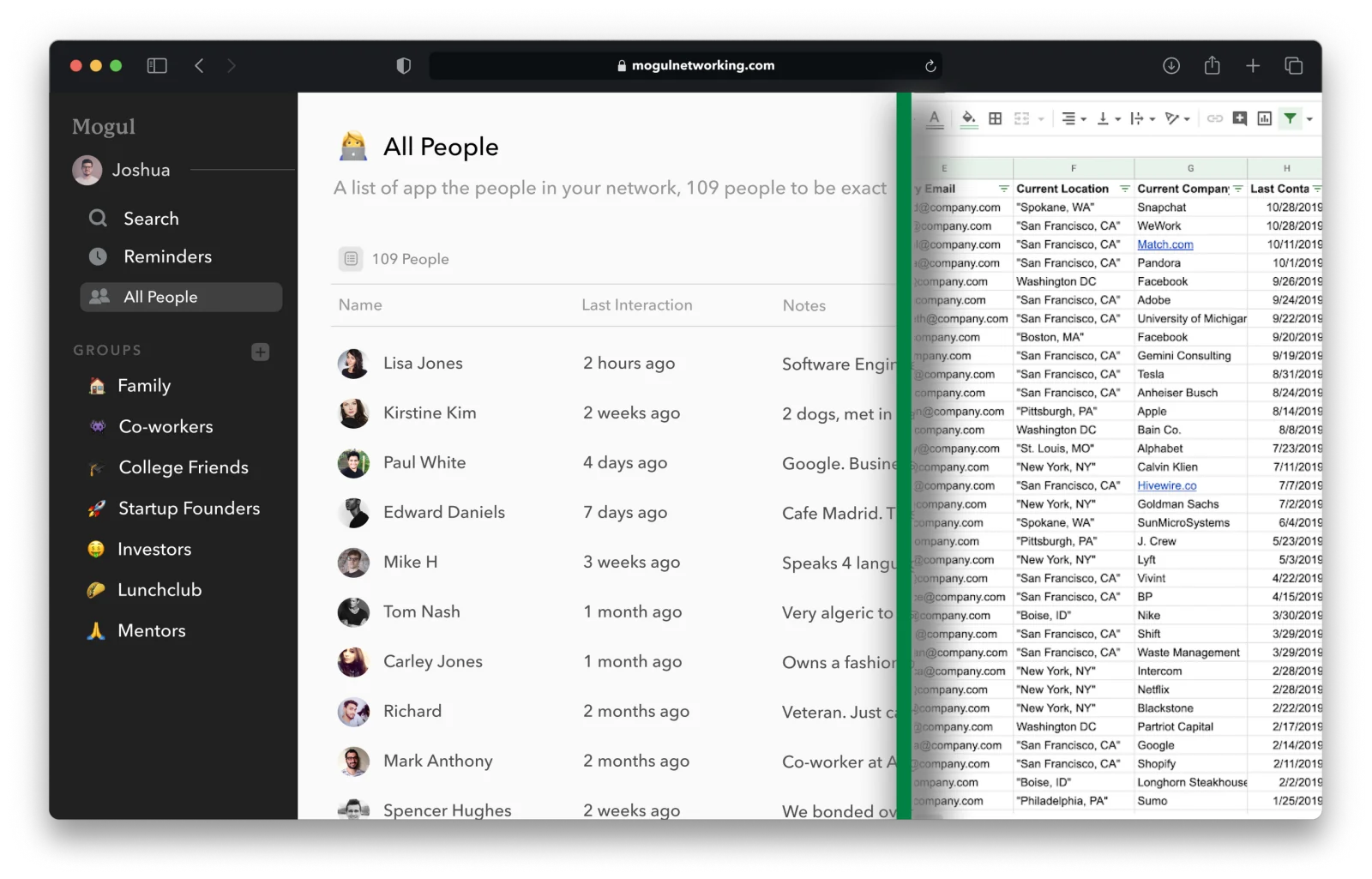
Mogul vs. Dex at a glance
| Question | Mogul | Dex |
|---|---|---|
| Best fit | People who want a focused, intentional relationship record | People whose network already lives across connected apps |
| Capture model | Primarily deliberate entry, CSV import, and iOS contact import | Manual entry plus broad imports and ongoing integrations |
| Relationship memory | People, custom details, interactions, groups, search, and reminders | Profiles, notes, unified timelines, groups/tags, reminders, and connected context |
| Reminders | One-time and recurring; email and iOS notifications on Pro | Standard, recurring, and interaction-aware keep-in-touch reminders |
| Integrations | A smaller publicly documented import surface | LinkedIn, Gmail, Outlook, calendars, contacts, Facebook, Instagram, WhatsApp, iMessage, Superhuman, CSV, Zapier, and more |
| Free access | Basic is free indefinitely | Seven-day Premium or Professional trial; no ongoing free plan is shown on the current pricing page |
| Published individual price* | Pro: $9.99 monthly or $99.99 yearly | Annual view: Premium $12/month; Professional $20/month |
| Privacy model described publicly | Optional E2EE on Pro, with documented exclusions and trade-offs | TLS in transit and AES-256 at rest; detailed policies for connected-account data |
| Export | CSV files for people, interactions, and reminders | “Export all data” is promised; current public pages do not clearly enumerate the complete export schema |
| Clearly documented platforms | Pricing FAQ lists web and iOS; the footer links Mac, Windows, and Linux downloads, so desktop support needs verification | Web, Chrome extension, iOS/iPadOS, Android, Mac, and Windows |
*Vendor prices checked August 21, 2026. Dex figures above are monthly equivalents on its annual-price view. Taxes, regions, app-store billing, discounts, and plan changes can alter the total.
The verdict by type of user
- Choose Dex if you are LinkedIn-heavy. Its current Premium plan documents LinkedIn sync for up to 2,500 connections; Professional raises that to 7,500. The browser extension is central to the workflow.
- Choose Dex if manual logging is why your last CRM failed. Email, calendar, messaging, and contact integrations can update the record with less repeated entry.
- Choose Mogul if you want to start without a subscription decision. Mogul’s personal CRM starts with people and interactions. Basic includes both without a paid subscription; the pricing FAQ currently lists web and iOS.
- Choose Mogul if you prefer a curated network. It is easier to understand as a notebook for relationships than as a continuously connected data layer.
- Choose Mogul if optional E2EE is a requirement you are prepared to configure and test. Read the old technical explainer first; it documents meaningful exclusions and recovery trade-offs.
- Choose neither if several teammates need one shared sales process. A team CRM with ownership, permissions, pipeline reporting, and handoffs is a different category.
If you are still deciding whether this category solves your problem, read what a personal CRM is before comparing products.
Where Dex wins
1. Dex connects the places where relationships already happen
Dex’s strongest argument is not another field or prettier profile. It is the breadth of its documented connections.
The current Dex integrations catalog lists Gmail, Outlook, Google Calendar, two-way contact sync, Facebook, Instagram, WhatsApp, iMessage, Superhuman, CSV, Zapier, an MCP server, and an AI skill. Its pricing page also describes LinkedIn syncing and automatic contact building from connected inboxes.
That catalog is broader than the list of mature, identical-everywhere features. Individual Dex guides label some connections, including iMessage and two-way contact sync, beta or experimental. Verify the exact platform, plan, direction of sync, and current status of the one integration you need.
That matters when the useful context already exists but is fragmented. A calendar knows you met. Gmail knows when you last wrote. LinkedIn knows a title changed. Dex is designed to pull pieces of that context closer together.
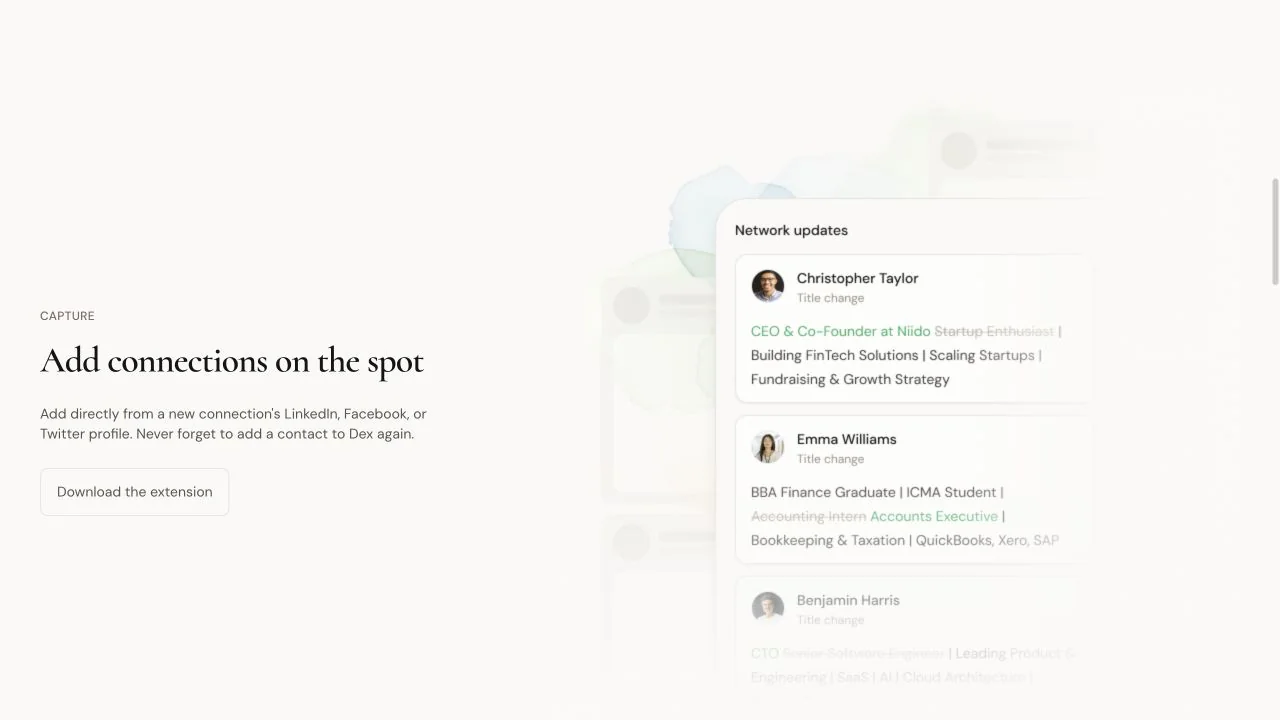
The trade-off is permission surface. Every connection is another account and data flow to understand. Dex’s August 14, 2026 privacy policy is unusually specific about Google data: depending on enabled features, it says Dex may read contact fields, calendar details, email metadata, and email content for search and relationship-history features. It says Google data is not used for advertising or to train generalized AI models. The same policy separately documents advertising and attribution providers for website and subscription events, public-web enrichment providers, and optional AI and voice features that can send user-provided content to model or transcription services. Connecting Google and enabling those features are choices worth reviewing individually.
2. Dex offers more ways to arrive with existing data
Dex supports manual entry, contact imports, and ongoing sync. Its CSV guide documents imports from products such as Notion and Airtable, flexible header matching, groups or tags, custom fields, birthdays, locations, last-interaction dates, social URLs, profile photos, and a separate notes import.
Its documentation also covers contacts from LinkedIn, Facebook, Gmail, Outlook, Google Calendar, phone contacts, and other sources. That is a broader documented set of arrival paths and fields, particularly for a large professional network. It does not prove that setup is faster or that imported data will be clean.
Automation is not the same as accuracy. Dex’s privacy policy warns that integrated information can be delayed, duplicated, outdated, or misattributed, and that third-party platform rules can interrupt a sync. Plan for a cleanup pass and an occasional integration change.
3. Dex has the broader clearly documented platform footprint
Dex publishes web and Chrome-extension workflows, Mac and Windows desktop downloads, and mobile apps. Its current product page links Google Play, while its App Store listing supports iPhone and iPad.
Dex therefore has the clearer documented Android and browser-extension surface. It does not prove every feature is identical on every device, but those platforms are explicitly represented in Dex’s current product material.
4. Dex’s reminder model can follow actual interaction history
Both products support one-time and recurring reminders. Dex also documents keep-in-touch reminders calculated from a person’s last interaction plus a chosen frequency. Log a new interaction and the next reminder moves with it.
That design moves the next reminder when a new interaction is logged. The system asks whether the relationship is due from the recorded interaction history, not merely whether an old task date arrived.

Where Mogul wins
1. Mogul makes the database easier to bound
Mogul’s public product pages emphasize people, interactions, custom details, groups, search, and reminders. You can build a useful record without first connecting your inbox, calendar, messaging accounts, or social graph.
That narrower starting point is a feature for people who do not want every acquaintance imported. The system can hold the five, fifty, or five hundred relationships you intentionally choose.
It does require a habit. If you never write down the promise you made after lunch, the app cannot infer it later. Deliberate software works only when the deliberate action is small enough to repeat.
2. Mogul has the less expensive published starting path
Mogul Basic is currently listed as free forever with unlimited people and unlimited interactions. Pro adds reminders, groups, custom fields, optional E2EE, and email support for $9.99 per month or $99.99 per year. Mogul’s pricing FAQ lists web and iOS, while the production footer links Mac, Windows, and Linux downloads; verify desktop support before choosing.
Dex currently offers a seven-day trial without a card, followed by paid plans. On the annual-price view, Premium is $12 per month and Professional is $20 per month. Enterprise is $40 per month, but most individual buyers should compare Mogul Pro with Dex Premium or Professional based on the integrations they need—not the tier names.
Students should check both current offers. Mogul lists a $49.99 yearly student plan, while Dex says student and nonprofit discounts are available through support without publishing the discounted amount on its current pricing page.
3. Mogul documents an optional E2EE mode
Mogul Pro’s distinctive privacy feature is optional end-to-end encryption. The vendor’s technical explainer says an encryption password protects the private key and that plaintext protected fields do not reach Mogul’s servers when the feature is enabled.
The same page is candid about trade-offs:
- E2EE is not enabled by default.
- Losing the encryption password can make the encrypted data unrecoverable.
- Notifications become less specific.
- Encryption and decryption add initial-load work.
- IDs, booleans, dates, and avatar images were not encrypted when the explainer was written.
That page was last updated four years ago. Treat it as vendor documentation that needs current product confirmation, not as an independent security audit and not as proof that every field is encrypted today.
Dex documents a different model: TLS for data in transit, AES-256 storage-level encryption at rest, regular backups, and infrastructure hosted with SOC 2- and ISO 27001-certified providers. Its public security page does not describe optional end-to-end encryption. These are different security architectures, not a one-line “private/not private” score.
4. Mogul’s documented export is concrete
Mogul’s export guide says Settings can produce separate CSV files for people, interactions, and reminders. That is a legible exit path for the core relationship record.
Dex says users can export all data at any time, and its changelog references CSV contact exports. The current public security and help pages we reviewed do not clearly list every exported table or field. Before a large migration, ask Dex support for a current sample export.
Setup, capture, import, and exit
Setting up Mogul
- Start with Basic; the current pricing page says no card is required.
- Add a small set of important people manually, or use CSV/iOS import.
- Record one useful interaction and one next step for each person.
- Upgrade only if you need reminders, groups, custom fields, or optional E2EE.
- If enabling E2EE, store the encryption password safely and test another device before committing a large database.
Mogul’s documentation is inconsistent about Google Contacts. Its 2021 privacy policy describes an optional Google Contacts import, while its four-year-old getting-started guide calls Google importing “coming soon.” Confirm the present behavior inside the app before making it part of a migration plan.
Setting up Dex
- Decide which sources are necessary instead of connecting everything automatically.
- Import a small sample first and inspect duplicates, field mapping, and last-interaction dates.
- Connect the one source that removes the most work—often LinkedIn, Gmail, or a calendar.
- Set keep-in-touch frequencies only for relationships where a cadence is genuinely useful.
- Export a sample before the trial ends so you understand the exit path.
Dex documents more import and connection paths for a large network; this review did not test setup speed. Read what each connected source provides, whether it is a one-time import or continuing sync, and what stops when you disconnect it.
Privacy, deletion, and data portability
Both vendors say they do not sell user data and both publish account deletion and export controls. The details are not equally documented.
Dex’s security page says users can export all data or permanently delete contacts, events, and associated account data. Its privacy policy adds that deleted data may remain for a limited period in backups or be retained where legally or operationally required; aggregated or de-identified information may also remain. It explains how Google access can be revoked and how Google data is treated after disconnection or deletion. It also names advertising, analytics, infrastructure, enrichment, communications, AI, and voice providers; the categories of data and activation conditions differ by feature, so review the sections relevant to what you intend to connect.
Mogul’s current pricing page says users can export and delete an account and its data through web and mobile apps. The separate export guide names the CSV datasets. However, Mogul’s public privacy policy is dated May 25, 2021 and does not spell out backup-retention or deletion exceptions with the same specificity.
The honest conclusion is not “Mogul is private and Dex is not,” or the reverse. It is this:
- Mogul publicly offers a narrower, deliberate workflow and vendor-documented optional E2EE.
- Dex publicly offers broader connected context and a more detailed current privacy policy for those connections.
- You should judge the exact fields you will store, integrations you will enable, deletion path you require, and whether the published documentation is current enough for your risk level.
Do not put regulated health data, government IDs, payment credentials, confidential source material, or secrets into either product without a separate security and compliance review.
When to choose neither
Choose neither if the relationship problem is actually one of these:
- A team sales pipeline: use a team CRM with shared ownership, permissions, reporting, and handoffs.
- Self-hosting: neither vendor publicly presents a self-hosted edition. Compare Mogul vs. Monica if open-source self-hosting is the requirement, and accept the maintenance work.
- A tiny circle: a calendar reminder and a secure notes system may be enough for ten important people.
- A campaign engine: if you need sequences, deliverability controls, attribution, and high-volume outreach, you are shopping in a different category.
- A no-cloud requirement: vendor-managed sync and storage are incompatible with that constraint, even when encryption protections are strong.
Our source-checked personal CRM shortlist includes options for self-hosting, mobile capture, and shared team workflows. You can also browse the personal CRM alternatives hub for narrower comparisons.
For another automation model, compare Mogul vs. Mesh. For infrastructure control, compare Mogul vs. Monica.
A seven-question decision checklist
- Where does the missing context live now? If the answer is LinkedIn, inboxes, calendars, and messages, Dex has the clearer automation story.
- Do you want broad imports or only chosen relationships? Dex documents more import and sync sources; Mogul documents a narrower starting surface for deliberate entry.
- Which integration would save you real weekly work? Name it. Do not pay for “many integrations” in the abstract.
- What is your privacy requirement? Connected-account transparency, optional E2EE, self-hosting, and no-cloud storage are different requirements.
- What must appear in an export? Contacts alone may not be enough; check interactions, reminders, custom fields, groups, and attachments.
- Which devices are non-negotiable? Dex has the broader clearly documented platform list. Verify Mogul desktop support before depending on it.
- Will you still use this in six weeks? Automatic capture and deliberate entry fail in different ways. Pick the failure mode you can manage.
Frequently asked questions
Is Mogul better than Dex?
Mogul is the better fit for a simpler, deliberately maintained personal CRM with a free Basic plan, lower published Pro pricing, and optional vendor-documented E2EE. Dex is the better fit for broad automatic context, especially when LinkedIn, email, calendars, messaging, and multiple devices are central to your workflow.
Is Mogul a good Dex alternative?
Yes, if you are willing to replace some automatic capture with intentional notes and imports. It is not a one-for-one Dex replacement for someone whose deciding feature is LinkedIn, email, calendar, or messaging sync.
Does Mogul import LinkedIn contacts?
We did not find a current official Mogul page documenting LinkedIn import or ongoing LinkedIn sync. Dex explicitly documents LinkedIn sync. If LinkedIn is required, verify Mogul inside the product before choosing it.
Is Dex free?
Dex’s current pricing page offers a seven-day Premium or Professional trial with no card required. It does not show a permanent free personal plan. Mogul Basic is listed as free forever.
Which is more private: Mogul or Dex?
The public sources do not support a responsible one-word winner. Mogul documents optional E2EE with exclusions and recovery trade-offs. Dex documents TLS, AES-256 at-rest encryption, deletion/export controls, and detailed handling for connected accounts. Decide which architecture and permission surface fits the data you will actually store.
Can I import a spreadsheet into Mogul or Dex?
Both vendors document CSV importing. Dex publishes a more detailed current field-mapping guide. Mogul’s getting-started guide labels its CSV importer beta and also documents iOS contact importing.
Can I export my data from both?
Yes, according to both vendors. Mogul names CSV exports for people, interactions, and reminders. Dex promises an all-data export, but confirm its current formats and included fields before migrating a large database.
Which is better for students?
Mogul is easier to start cheaply: Basic is free and its current pricing page lists a $49.99 annual student plan. Dex says student discounts are available through support and may save more entry work for students whose network is already in LinkedIn, email, and calendars. Compare the workflow before comparing the discount.
Research note
This draft was researched from public product, pricing, documentation, security, privacy, and app-store pages on August 21, 2026. We did not create accounts, connect personal data, install the apps, test imports, benchmark sync reliability, inspect encryption code, or ask either company for unpublished documentation. Product capabilities and security statements above are vendor-documented unless stated otherwise.
Before publication, recheck live pricing and resolve the documentation conflicts noted in the accompanying research file. If you spot a changed feature or price, send the source through our contact page.