
Mogul vs Mesh
Mogul vs Mesh (Formerly Clay): Which Personal CRM Fits?
Compare Mogul and Mesh on automatic capture, reminders, privacy, pricing, platforms, migration, and the kind of relationship habit each product rewards.
 Chris Raroque
In this guide
The short answer: Choose Mesh if you want your network assembled and refreshed from connected accounts. Consider Mogul if you want to record the relationships that matter without making broad automatic capture the center of the system.
The difference is not a longer feature list. It is where the work happens.
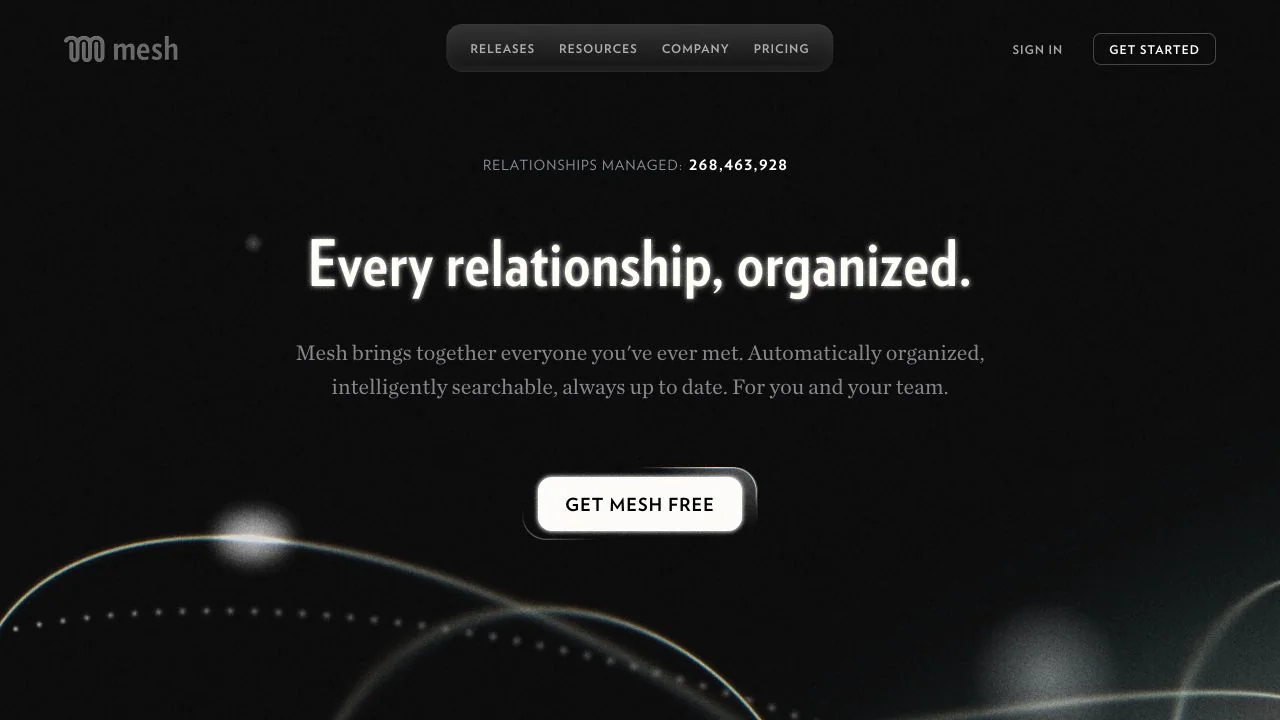
Mesh tries to remove the work of building and maintaining a relationship database. Mogul asks you to choose what is worth remembering. One is designed around network coverage; the other is designed around deliberate context.
If you are still deciding whether this category is useful at all, begin with what a personal CRM is. If you want a wider field than these two products, use the source-checked personal CRM shortlist.
Mesh is the personal CRM formerly called Clay—not Clay.com
Mesh is the current name of Clay, the personal CRM that previously used Clay.earth. It is not Clay.com.
The official March 26, 2026 rename announcement says, “Today, Clay is becoming Mesh,” and explains that the crowded Clay name was part of the reason. The old Clay.earth domain now redirects to Me.sh. Clay.com is a separate sales-data and go-to-market company.
That distinction matters when you search for reviews, exports, cancellation help, or a “Clay alternative.” Older material may say Clay even when it refers to the product now called Mesh.
Quick verdicts by user type
| If this sounds like you | Start with | Why, based on current documentation |
|---|---|---|
| “My network already lives across email, calendars, contacts, and social accounts.” | Mesh | It documents automatic imports, ongoing updates, and relationship signals across connected sources. |
| “I want a quiet place for people, notes, interactions, and follow-up.” | Mogul | Its core workflow centers on deliberate records, search, and interaction history rather than broad account sync. |
| “I need Android, Windows, macOS, web, and browser extensions.” | Mesh | Mesh lists all of those surfaces. Mogul’s pricing FAQ lists web and iOS, while its footer links desktop downloads; verify the desktop builds before relying on them. |
| “I want to begin free without entering a card.” | Mogul | Mogul says signup requires no credit card. Mesh has a free Personal tier, but its trial flow requires a card. |
| “I have more than 1,000 contacts and want them refreshed automatically.” | Mesh Pro | Mesh Personal is capped at 1,000 contacts; Pro documents unlimited contacts and prioritized updates. |
| “I want an optional end-to-end encrypted mode for the CRM fields it covers.” | Mogul Pro | Mogul documents optional E2EE with important exclusions and recovery trade-offs. Confirm the older technical document before relying on it. |
| “Several teammates need to see and use a shared network.” | Mesh | Mesh publishes Team and Enterprise plans. Mogul’s current public plans are individual. |
| “I need deal stages, forecasting, sequences, and sales reporting.” | Neither | Use a sales CRM built around pipeline operations. |
How this comparison was made
This draft was checked against each vendor’s public product, price, help, privacy, export, deletion, and platform pages on August 21, 2026.
No competitor account was created. No inbox, calendar, social profile, or address book was connected. We did not measure import accuracy, enrichment quality, reminder delivery, app speed, encryption implementation, or export fidelity. Product capabilities below are vendor-documented, not hands-on findings or an independent security audit.
That boundary is especially important for a relationship product. A promise such as “automatic” can be verified as positioning. Whether it produces the right people and useful context for your network requires a trial with your data.
Mogul vs Mesh at a glance
| Decision | Mogul | Mesh (formerly Clay) |
|---|---|---|
| Core approach | Deliberately add people, details, interactions, groups, and reminders | Assemble and update a network from connected accounts, with manual entry also documented |
| Automatic capture | Limited relative to Mesh; older docs describe CSV and iOS imports | Email, calendar, contacts, social, and messaging sources are listed across its pricing and integration catalog |
| Free plan | Basic: unlimited people and interactions, according to Mogul pricing | Personal: up to 1,000 contacts and core features, according to Mesh pricing |
| Individual paid price | Pro: $9.99/month or $99.99/year | Pro: $20/month or $120/year in the current subscription guide |
| Trial and card | No card required to sign up, according to Mogul’s pricing page | 14-day Pro trial; card required; downgrade to Personal is available |
| Reminders | One-time and recurring reminders are listed as Pro features | Reconnect, reminders, and birthday notifications are listed on Personal |
| Platforms stated now | Pricing FAQ lists web and iOS; the footer links Mac, Windows, and Linux downloads, so desktop support needs verification | iOS, Android, macOS, Windows, web, plus Chrome, Safari, Firefox, and Edge extensions |
| Team use | No shared team plan is shown on the public pricing page | Team and Enterprise plans are documented; current Team prices conflict across official pages |
| Encryption statement | Pro offers optional E2EE, with IDs, booleans, dates, and images excluded in the older technical explainer | Vendor says encryption in transit and at rest, with E2EE for certain imported connection data; this is not documented as product-wide E2EE |
| Export | CSVs for people, interactions, and reminders | CSV of user-provided data; licensed fields are excluded; Team export is limited to an admin or primary owner |
| Account deletion | Pricing page says account and data can be deleted in web and mobile apps | In-app or support-assisted deletion; encrypted backups may retain deleted information for up to 90 days |
Prices and product boundaries were checked August 21, 2026. Taxes, regions, app-store billing, trial conversion, and checkout prices can differ. Mesh’s pricing page shows Team at $40/seat/month while its newer subscription guide says Team starts at $49/seat/month, so this draft does not use a definitive Team price.
Where Mesh has the clearer documented advantage
1. Your network can build itself
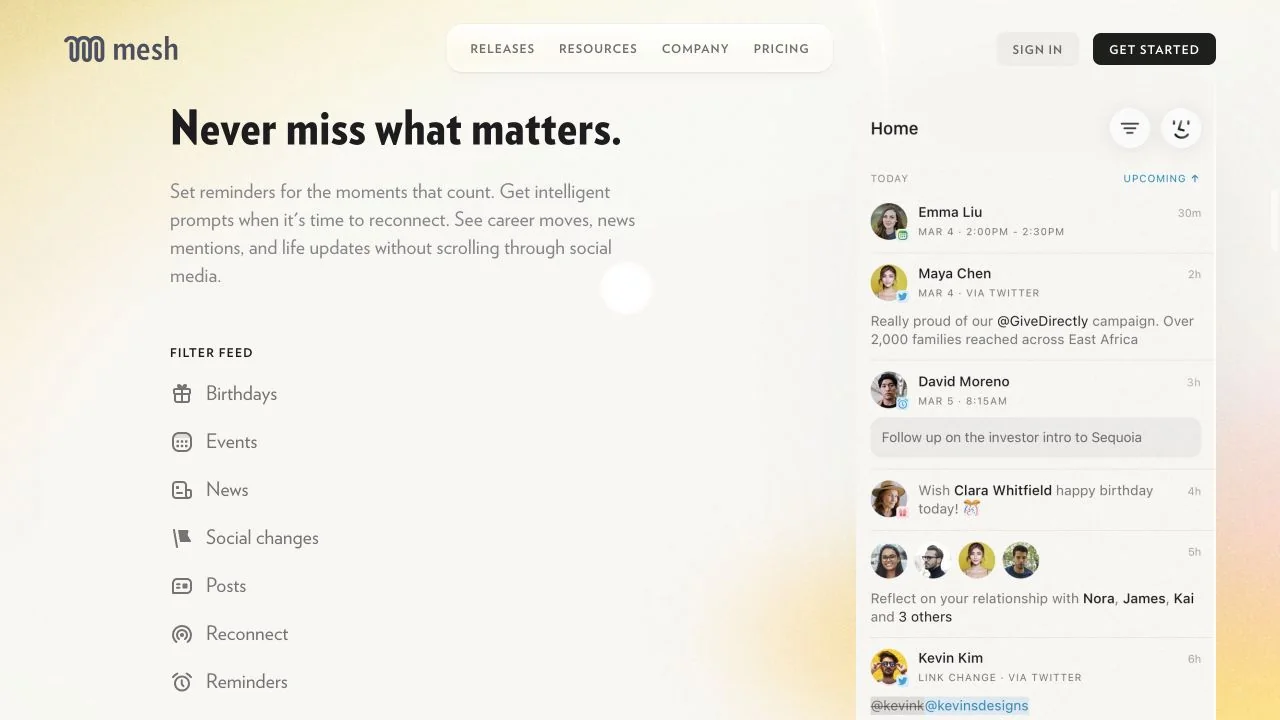
Mesh’s premise is coverage. Its current site says it captures email, meetings, and connections; keeps contact details current; and surfaces job changes, location changes, news mentions, birthdays, and reasons to reconnect.
The integration catalog lists Gmail, Outlook, Google Calendar, contacts, LinkedIn, X, Facebook, Instagram, iMessage, WhatsApp, CSV, CardDAV, Make, and Zapier, among other sources. Integration depth varies, and a logo does not prove a flawless sync. Still, the documented direction is clear: start with the places your network already exists.
That is a meaningful advantage for someone with hundreds or thousands of professional contacts. Manual reflection may improve the best records, but it is unlikely to recreate an entire network from memory.
2. Mesh covers more platforms
Mesh’s current app page provides downloads or access for iOS, Android, macOS, Windows, and web. It also lists extensions for Chrome, Safari, Firefox, and Edge.
Mogul’s current pricing FAQ lists web and iOS, while the production footer links Mac, Windows, and Linux downloads. Verify which desktop builds are supported before making one a requirement. If your habit depends on Android or capturing notes from a browser sidebar, Mesh has the clearer documented fit.
3. Mesh has an explicit team path
Mesh describes individual, Team, and Enterprise use. Team material emphasizes shared contacts, warm-introduction paths, admin controls, and broader setup support.
Do not treat that as a substitute for a sales CRM without testing the actual workflow. But if the core requirement is shared relationship context, Mesh has a published path that Mogul’s current individual pricing does not show.
Where Mogul has the clearer documented advantage
1. The empty state is simpler
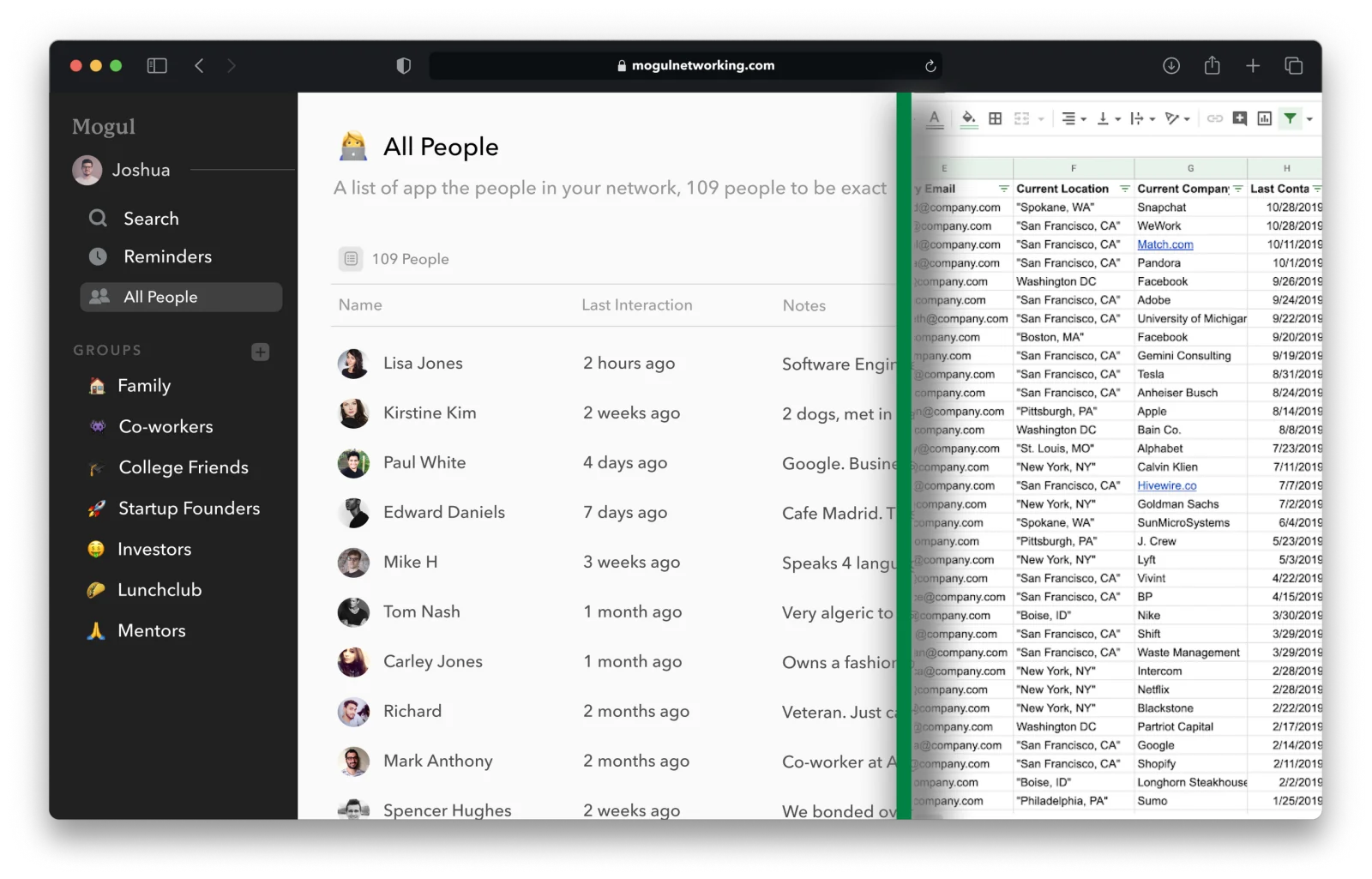
Mogul can begin with one person and one interaction. You do not need to import an entire address book or connect an inbox to understand the product.
That smaller start is useful when your goal is not to map everyone you know. Perhaps you want to remember twenty clients, ten mentors, or the classmates you genuinely intend to call. Less capture can mean less cleanup and a clearer reason for every record.
Mesh also allows manual contacts. The difference is emphasis: Mesh’s product and pricing pages present connected accounts as the starting point, while Mogul’s personal CRM page starts with deliberately recorded people and interactions.
2. Mogul’s listed individual price is lower
Mogul Pro is currently listed at $9.99 monthly or $99.99 yearly. Mesh’s current subscription guide lists Pro at $20 monthly or $120 yearly.
The free tiers are not directly equivalent. Mogul Basic documents unlimited people and interactions but holds reminders, groups, custom fields, and optional E2EE for Pro. Mesh Personal limits the database to 1,000 contacts but includes groups, reminders, reconnect prompts, birthdays, and life updates.
For students, Mogul also lists a $49.99 annual education price with a valid .edu address. Mesh Personal may still be the cheaper choice when 1,000 contacts and its core automatic features are enough. See Mogul’s student use case for the deliberate workflow, then compare the actual signup terms.
3. Mogul documents an optional E2EE mode
Mogul Pro’s technical guide describes an opt-in mode that encrypts covered fields before plaintext reaches Mogul’s servers. It also describes costs that marketing summaries often omit:
- lose the encryption password and Mogul says it cannot recover the data;
- notification content becomes generic;
- initial loading can slow as encrypted records grow;
- IDs, booleans, dates, and images were excluded when the guide was written;
- private-key handling relies on Virgil Security’s E3Kit, as described by Mogul.
This is a narrower and more useful claim than “most private.” The technical explainer is marked as four years old, so its production accuracy should be reconfirmed before this comparison is published.
Privacy: compare data flows, not adjectives
Mesh and Mogul document different privacy models because they ask for different inputs.
Mesh’s security and privacy guide says data is encrypted in transit and at rest and that Mesh is SOC 2 Type II certified, with an attestation letter available on request. It says connected email access is limited to recipients and subject lines rather than message bodies; calendar access is read-only; and messaging integrations compute interaction counts without reading message text. It also says some social and messaging connection information is encrypted end to end.
The same guide says AI features are opt-in and may process necessary notes and contact information through Mesh infrastructure and third-party partners. Mesh’s Nexus guide specifically identifies OpenAI for requests. Mesh says partners may not use the data to train their models.
Mogul appears to ask for less connected-account access in its central workflow, based on the public pages reviewed. Its privacy policy says personally identifying information is not shared with third parties except as required by law and describes optional Google Contacts access. Its separate Pro encryption mode covers many stored CRM fields, subject to the exclusions above.
Neither set of pages proves a product is universally “more private.” Ask four concrete questions:
- Which accounts will I connect?
- What exact fields will the product store?
- Which fields can the service provider read?
- What will be left in an export or backup when I leave?
Mesh publishes a backup-retention answer: deleted information may remain in encrypted disaster-recovery backups for up to 90 days. Mogul’s public privacy policy does not give a comparable backup window. That missing detail should be confirmed before publication—not filled in by assumption.
Setup and migration
Starting from zero
For Mogul, add five people you expect to speak with in the next month. Record how you know each person, the last meaningful interaction, and one next step. Pro users can then add a reminder or a custom group. Mogul’s older getting-started documentation also describes a CSV import beta and iOS contact import.
For Mesh, decide which source earns access first. Email or calendar may build a professional graph; an address book may fit a more personal one. Mesh’s current privacy guide describes the access each integration requests, so read that page before clicking Connect. You can also add people manually.
Do not connect every source on day one. A smaller import makes duplicate handling, unwanted records, and visibility surprises easier to inspect.
Moving from Mesh to Mogul
Mesh documents CSV export from Settings on Mac, Windows, web, and iOS. The important limit is in the help page: the export includes what you put into Mesh, not every enriched field Mesh has, because some fields are licensed.
Mogul documents CSV import, but its public page does not establish a one-click mapping for Mesh notes, groups, reminders, enriched fields, or timelines. Treat the move as a data project:
- export Mesh before canceling anything;
- keep the untouched original file;
- inspect which notes and custom fields are present;
- import a 20-contact sample into Mogul;
- compare names, phones, emails, notes, groups, dates, and duplicates;
- rebuild reminders only after the contact data is correct.
Moving from Mogul to Mesh
Mogul’s export guide says it produces separate CSVs for people, interactions, and reminders. Mesh’s CSV importer is documented for Pro and Team accounts and requires its own template.
That does not guarantee Mogul interactions and reminders will become equivalent Mesh objects. Map a sample first. If preserving interaction history is essential, ask Mesh support which columns and object types its importer currently accepts before changing subscriptions.
When to choose neither
Choose neither product merely because networking feels important.
A spreadsheet may be enough when you track fewer than a few dozen people and already review it. A calendar may be enough when the only missing behavior is scheduling the next call. A sales CRM is a better fit when several people need pipeline stages, forecasting, activity reporting, sequences, permissions, and ownership rules. An open-source, self-hosted personal CRM is the better category when inspecting and operating the whole stack is a requirement.
The product is not the relationship. If you will not write a note, review a prompt, or contact the person, a more complete database only gives neglect a nicer interface.
For different trade-offs, compare Mogul vs. Dex for professional integrations and Mogul vs. Monica for open-source self-hosting.
A decision checklist
Answer these before starting a trial:
- Do I want automatic coverage or a smaller hand-chosen network?
- Which account permissions am I willing to grant?
- Do I need Android, Windows, macOS, web, or a browser extension?
- Is 1,000 contacts enough for a free plan?
- Do I need reminders on the free tier?
- Do I need a shared team network or an individual memory system?
- Does optional E2EE matter enough to accept recovery and performance trade-offs?
- Which fields must survive a CSV export?
- Can I leave without losing licensed enrichment or interaction history?
- Will I review this system every week?
Then run the same small test in each finalist: add or import twenty people, find someone from a half-remembered detail, record an interaction, schedule a follow-up, merge a duplicate, export the data, and inspect the deletion controls. Our alternatives hub explains why those tasks matter more than a feature count.
Frequently asked questions
Is the Clay personal CRM now called Mesh?
Yes. Mesh’s official March 2026 announcement says Clay became Mesh, and Clay.earth redirects to Me.sh. Older Clay personal CRM reviews may still describe the current product under its former name.
Is Mesh the same company as Clay.com?
No. Mesh is the relationship-management product formerly called Clay at Clay.earth. Clay.com is a separate go-to-market and sales-data company.
Is Mogul or Mesh cheaper?
Based on public US web pricing checked August 21, 2026, both have a free option. Mogul Pro is listed at $9.99/month or $99.99/year. Mesh Pro is listed at $20/month or $120/year in its current subscription guide. The free plans include different capabilities, and taxes or app-store prices may differ.
Which one works on Android?
Mesh’s current app page links an Android app. Mogul’s current pricing FAQ says Android is on the roadmap and lists current access through web and iOS.
Is Mogul more private than Mesh?
That cannot be established from product pages alone. Mogul Pro documents optional E2EE for covered fields, with exclusions. Mesh documents encryption in transit and at rest, E2EE for certain imported connection data, granular integration limits, and SOC 2 Type II certification. Compare the specific data you will connect and store.
Can I migrate between Mogul and Mesh?
Both document CSV tools, but neither public guide proves complete object-for-object migration between the two. Mesh excludes some licensed fields from export. Mogul exports people, interactions, and reminders separately, while Mesh requires its import template. Test a small sample before canceling either product.
The decision in one sentence
Choose Mesh to remember more of the network automatically. Choose Mogul to decide what deserves to be remembered.